PROBLEM
Older adults and other users with low digital literacy struggle with messengers because of complex UI layouts, small buttons, and multi-level menus. Contact with family and society thins out, or they miss information they need.
APPROACH
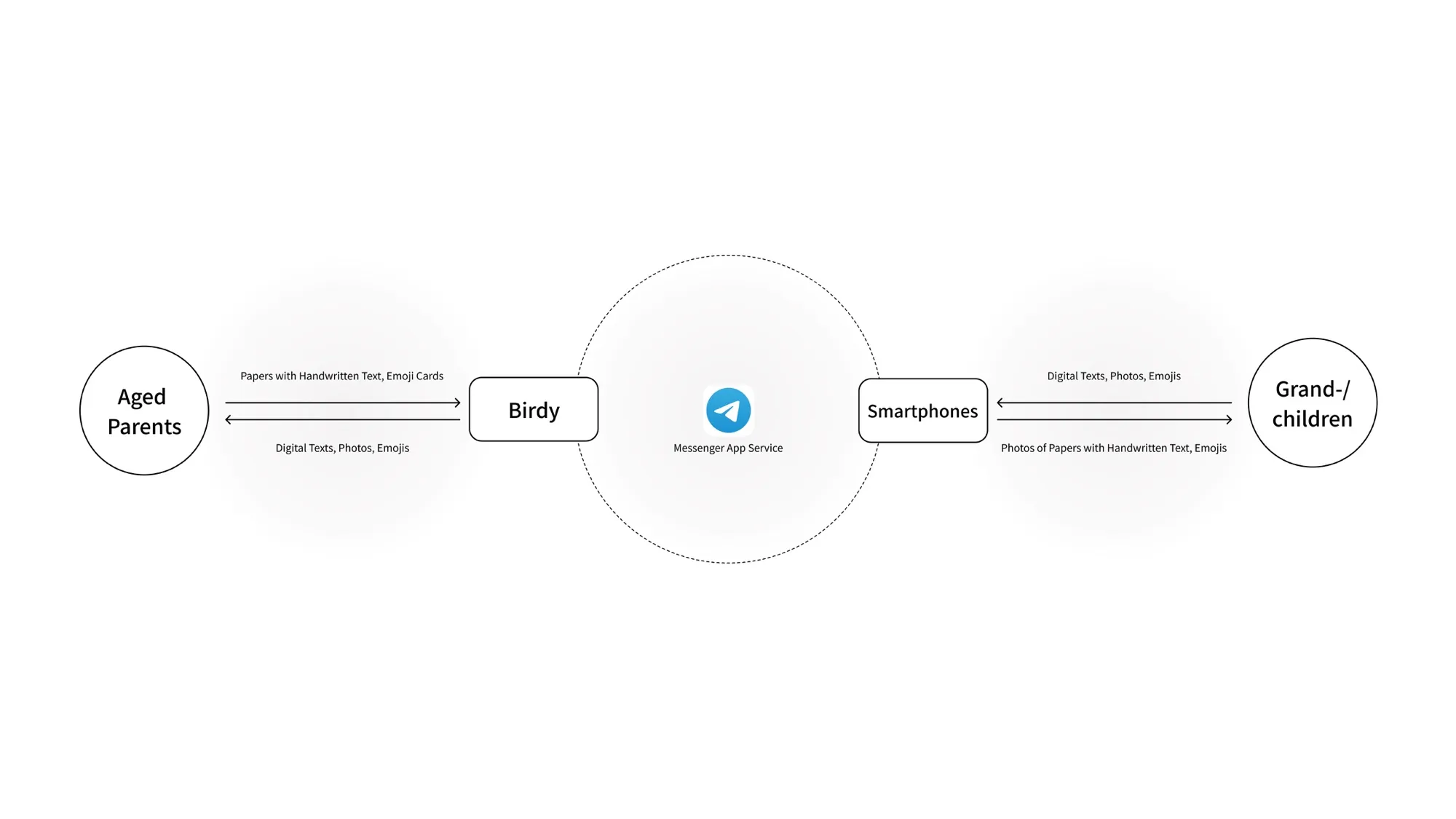
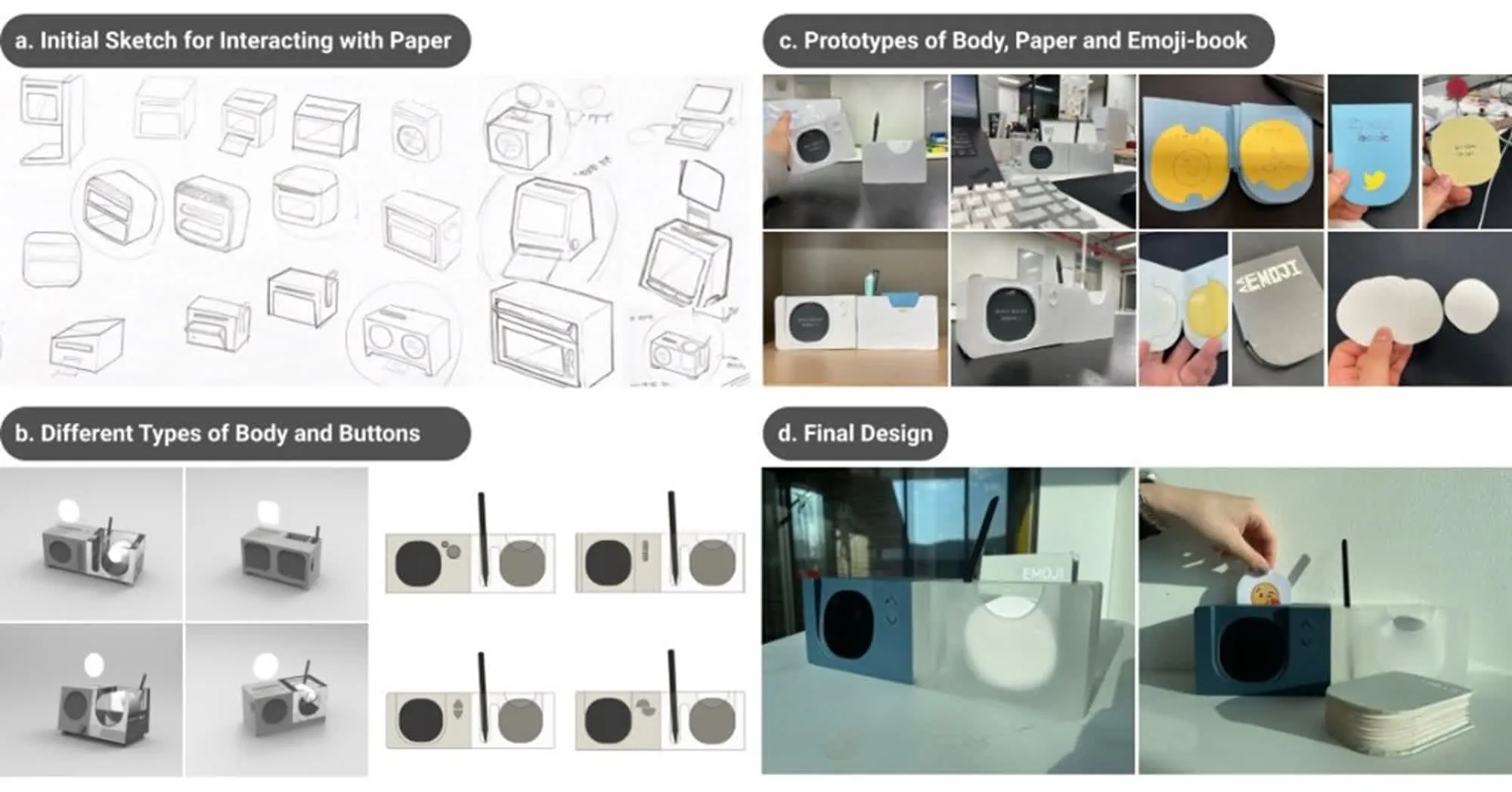
We designed Birdy, a dedicated device used in place of a smartphone. As lead researcher, I worked with two assistant researchers through the following steps.
- User research: Through a literature review, task analysis, and user interviews, we found where users with low digital literacy get stuck and what they want.
- Product design: From the research, we shaped a design that mixes analog elements like paper with hands-on controls, and sketched the first concept.
- Prototype build and testing: We built three working mockups and ran a three-week field test with six family pairs.
- Data analysis: With the qualitative and quantitative data, we looked at how people used it and how it felt, and weighed what Birdy changed.
We started with three forms. The stand type could come close to the mailbox the older generation grew up with, but it was awkward to live with day to day, so we dropped it. The wall-mounted type could use a large display but left nowhere to write, so we dropped that too. The desk type remained. It shares the desk with the paper and the pen, and it is easy to move.
For showing the message we also considered a thermal printer. Receiving the message on paper would have been the more analog experience, but we chose a display. In a conversation where short messages come and go quickly, a screen is better for taking in the order and the context, and reloading paper would have been one more barrier for older users.
The paper itself took work. A round card is easy to feed into the device but leaves little room to write; a square one is the opposite. So we made it a square with rounded corners, at 66mm, a little smaller than a sticky note, so that messages stay short by themselves.
SOLUTION
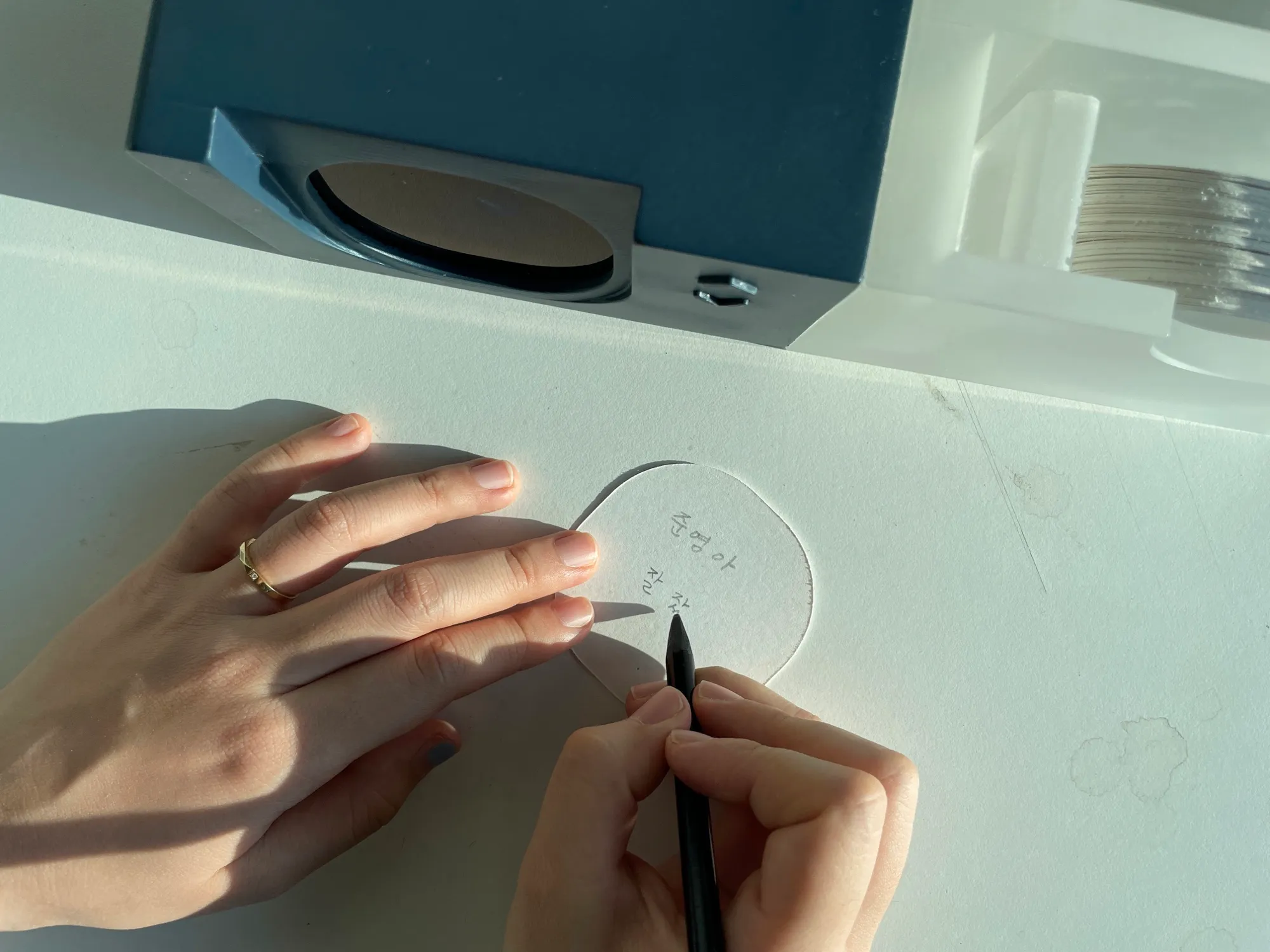
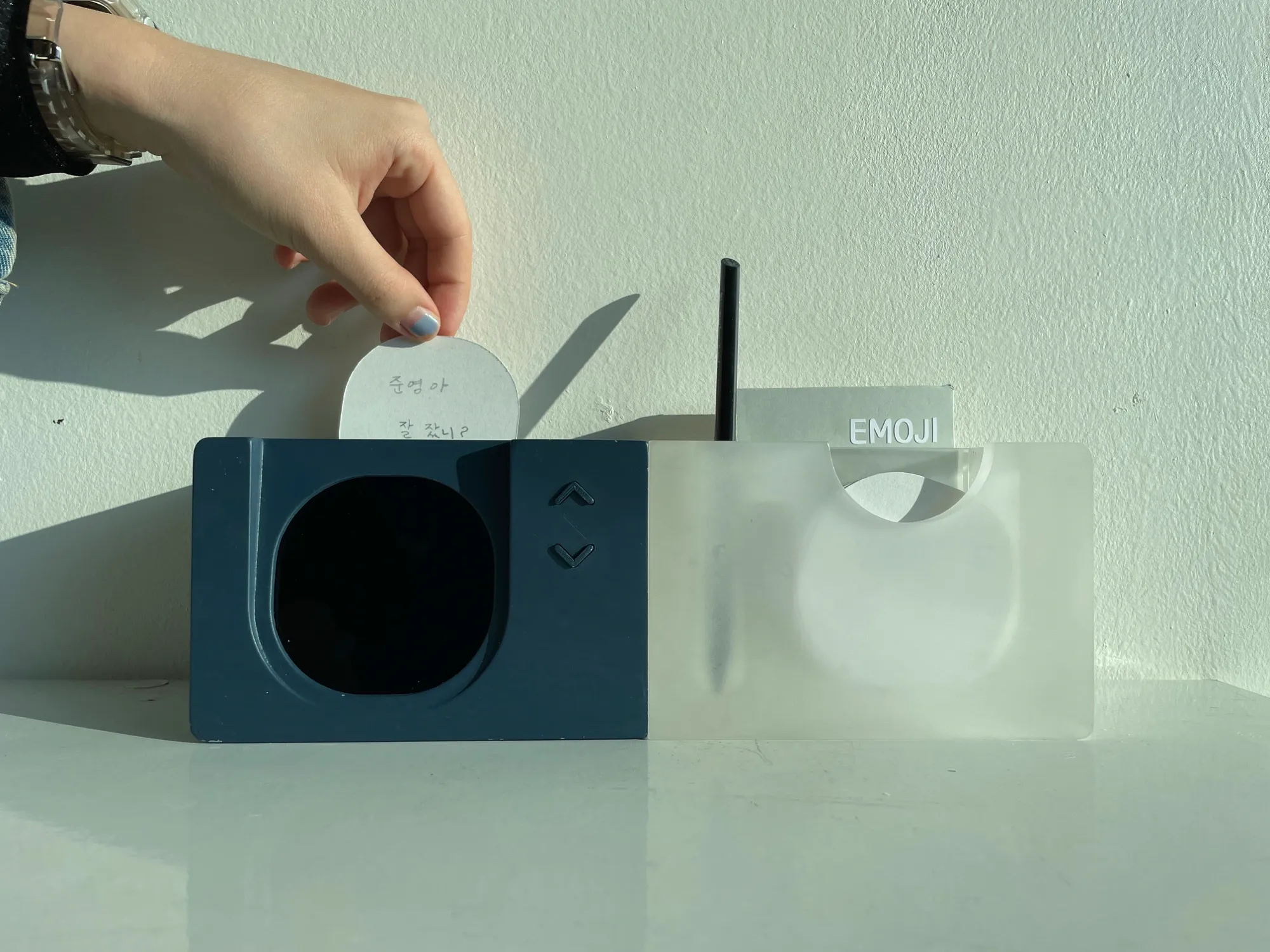
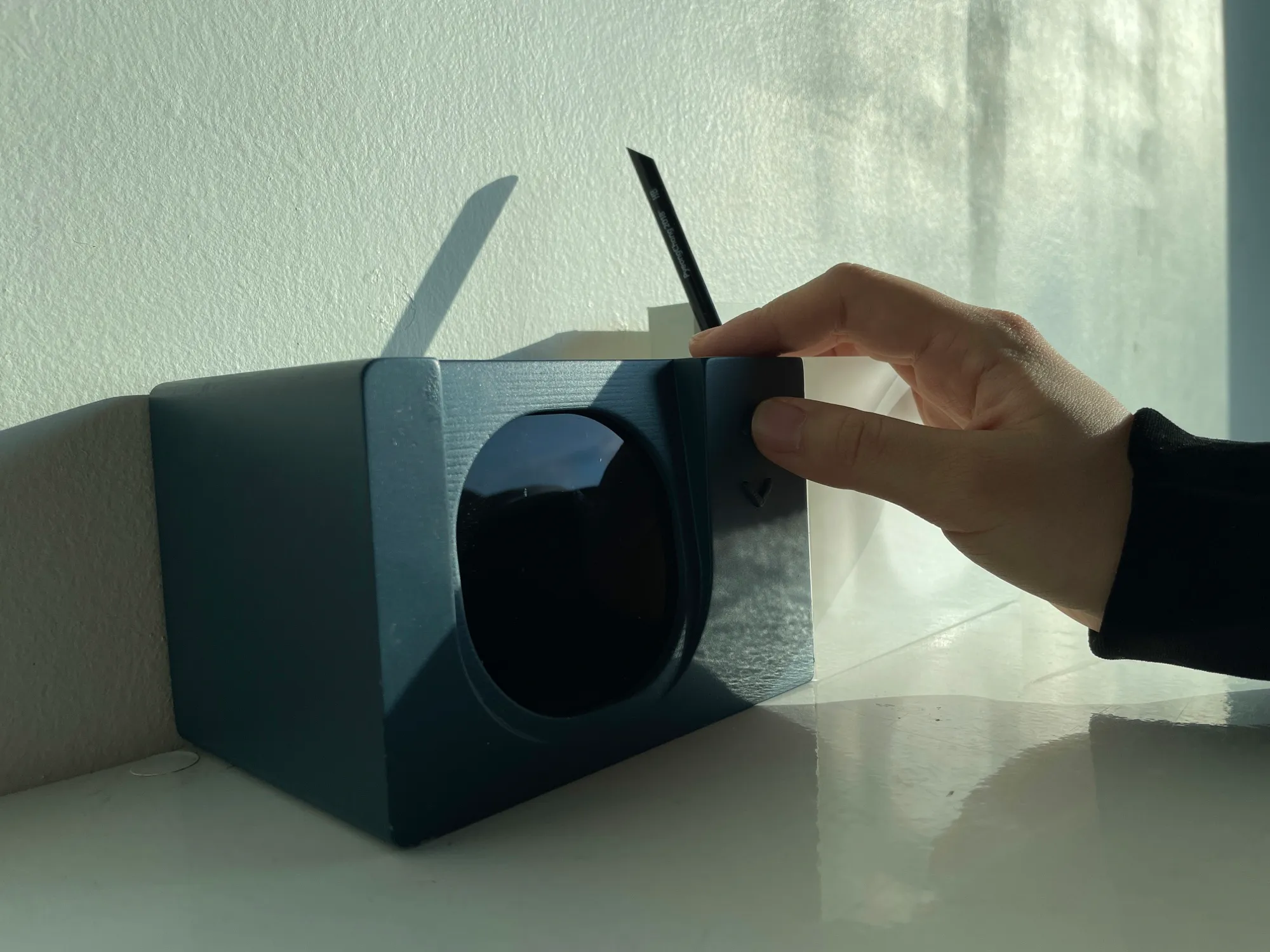
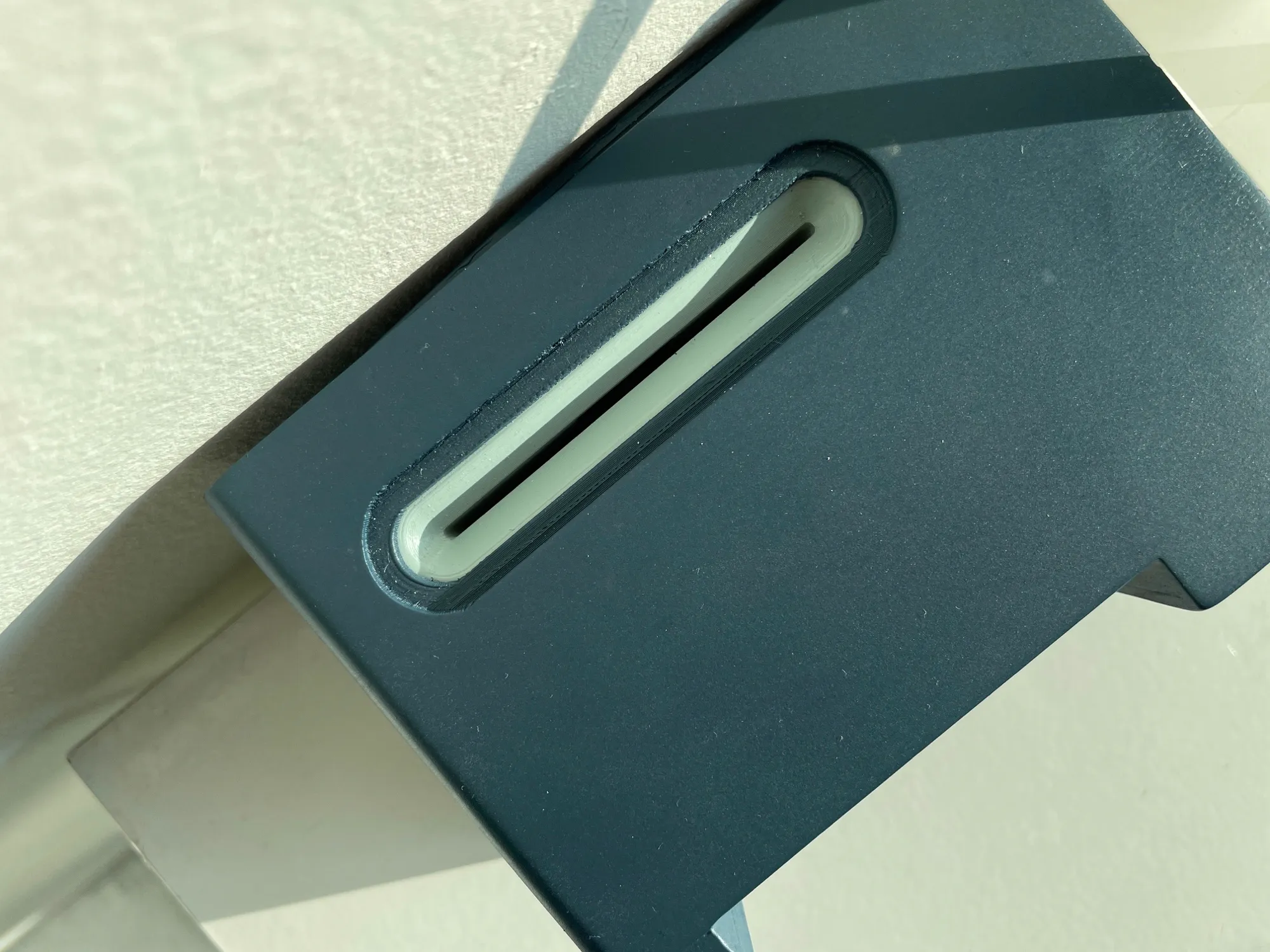
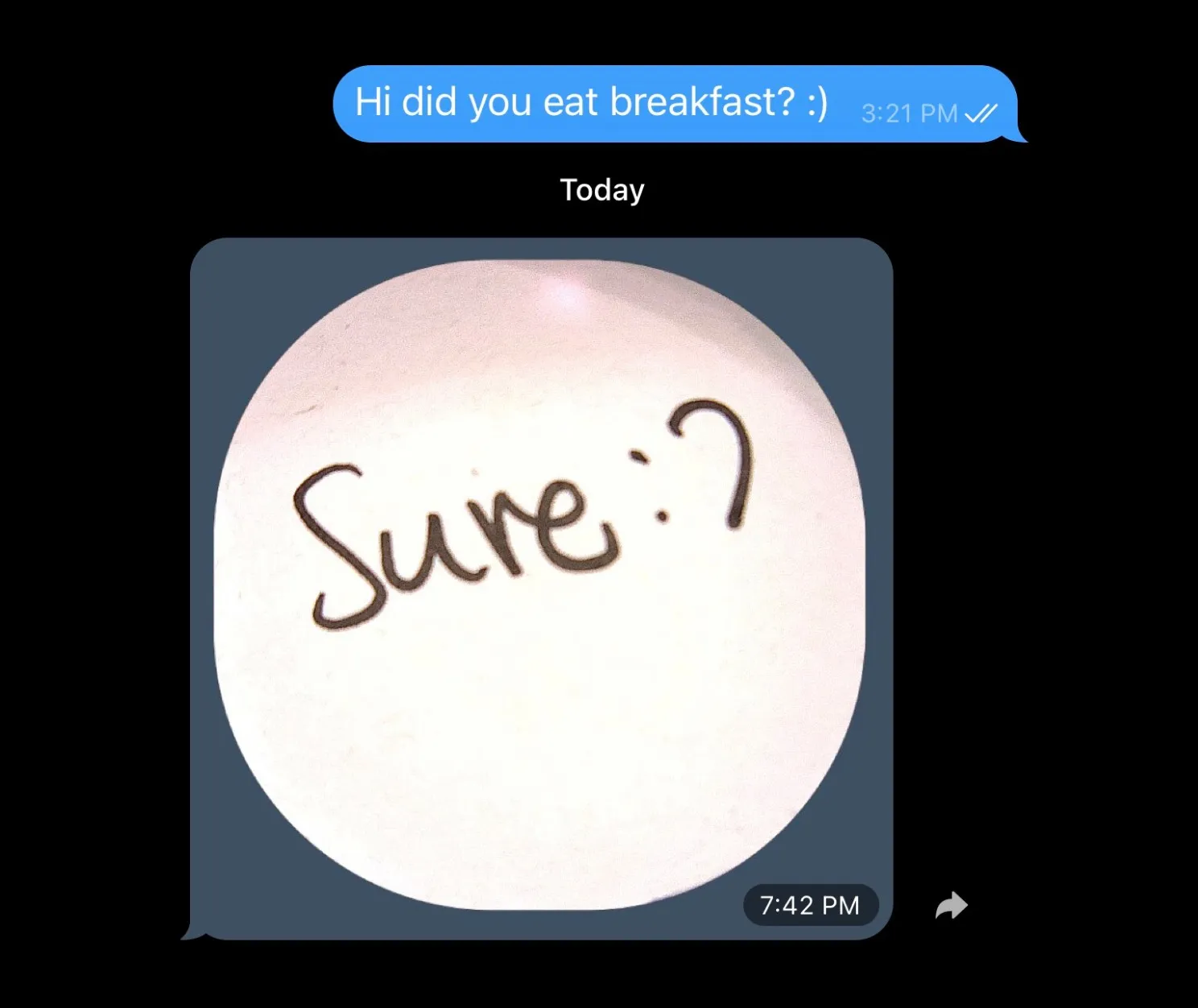
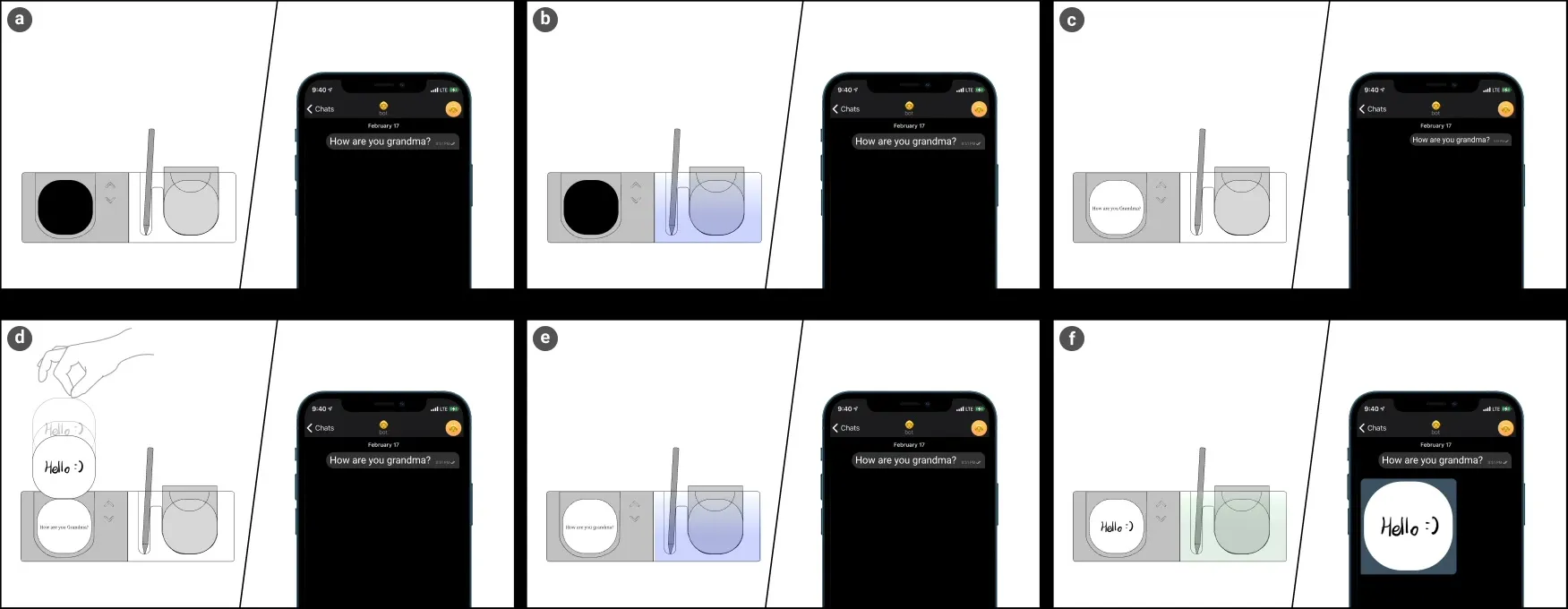
Birdy is a desktop messaging device for older adults. Handwriting on paper with a pen is the input, and that handwriting is what the family receives.
The screen shows one message at a time. Display size and button layout follow how older adults take in information, and a separate message-only display keeps things from piling up. LED light glowing through the translucent acrylic body shows whether a message came in or went out.
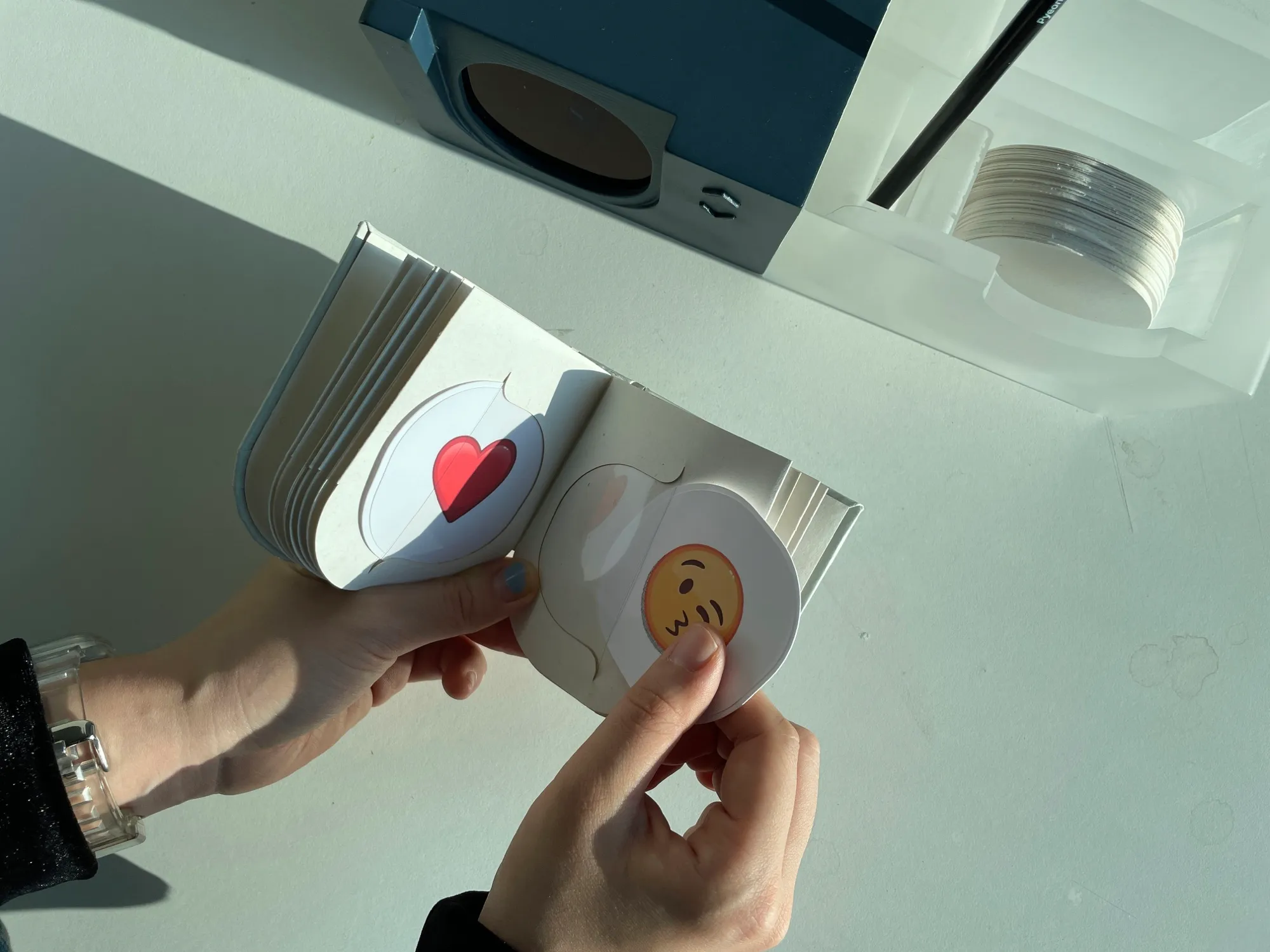
Birdy converts a message written on a 66mm paper card and sends it. The texture and quirks of the writing still come through. Twenty emoji cards that come with the device add feeling.
A few buttons are all it takes. Physical buttons for paging and a simple screen cut the steps down, and received messages appear large on the display.
IMPLEMENTATION
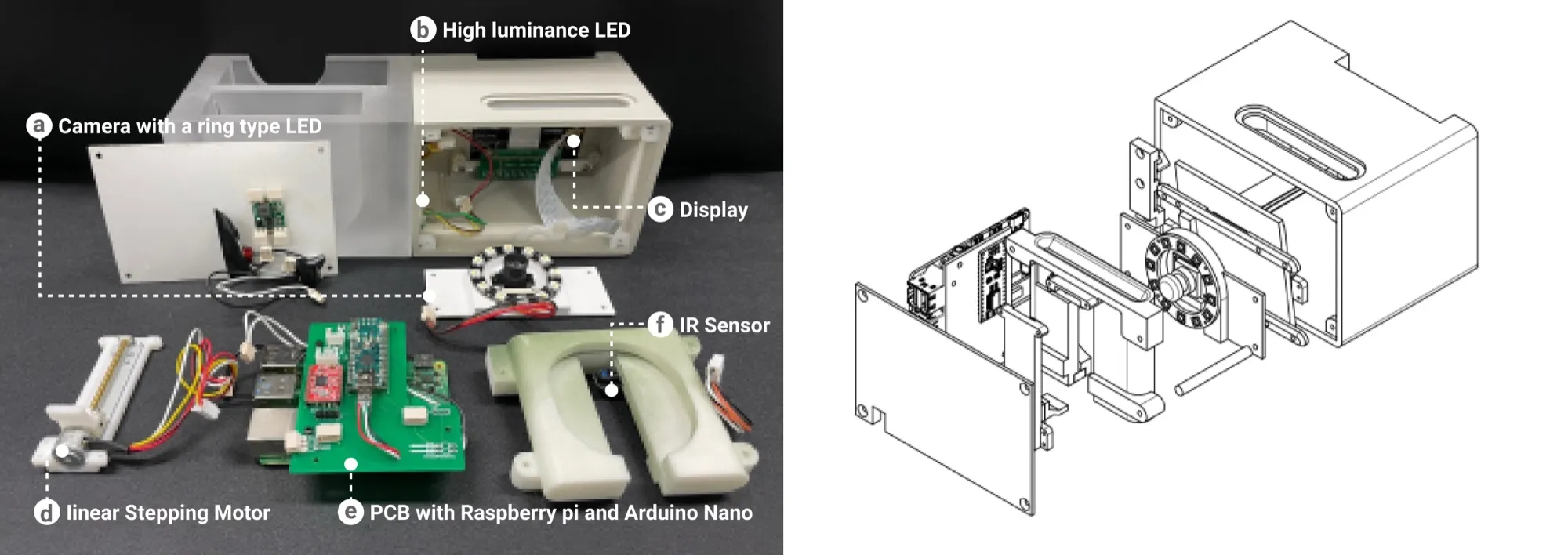
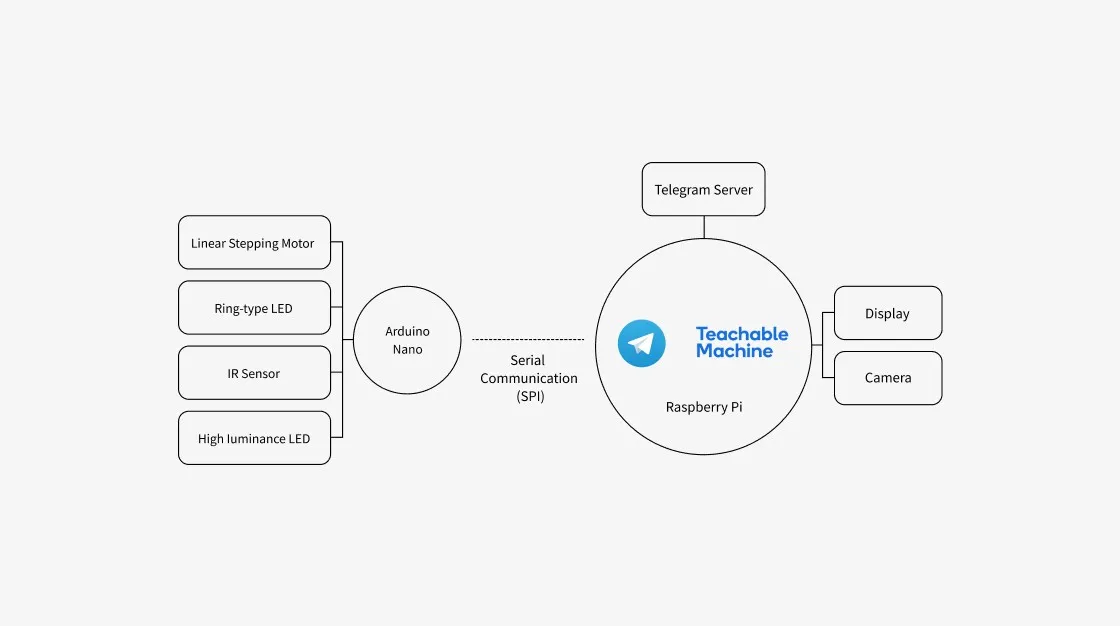
Development ran along three tracks: hardware, software, and product design. The work was split across two boards: an Arduino Nano handled the IR sensor, the linear stepper motor, the ring LED, and the previous/next buttons, and a Raspberry Pi handled the camera, the display, and Telegram. When a card goes in, a wide-angle camera with a ring LED captures it in the narrow, dark interior. The Raspberry Pi brightens and sharpens the photo, masks it to the card’s rounded-square shape, and sends it over Telegram. Replies come in on a separate loop that keeps checking Telegram, and text is rendered as an image for the display.
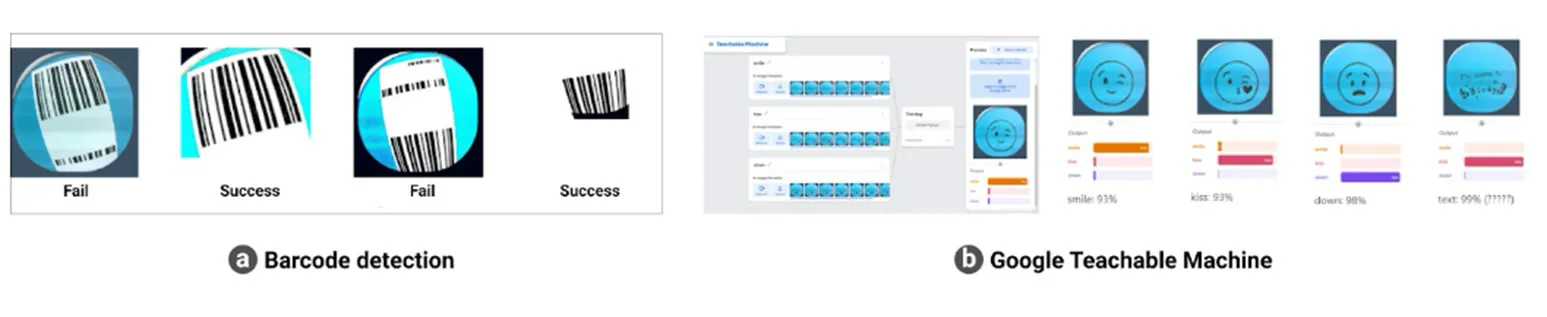
For emoji cards, I first tried telling them apart with barcodes, but the wide-angle camera distorted them too much to read reliably. So I trained Google Teachable Machine on the 20 emoji cards and treated a card as an emoji only when it was more than 90% confident, sending it as a Telegram sticker. Handwriting isn’t recognized as text; it goes as a photo, just as written.
State is carried by light. A new message blinks blue, sending breathes blue, and a finished send turns green. Paging past either end of the list briefly shows “This is the first message” or “This is the last message.”
PROTOTYPING
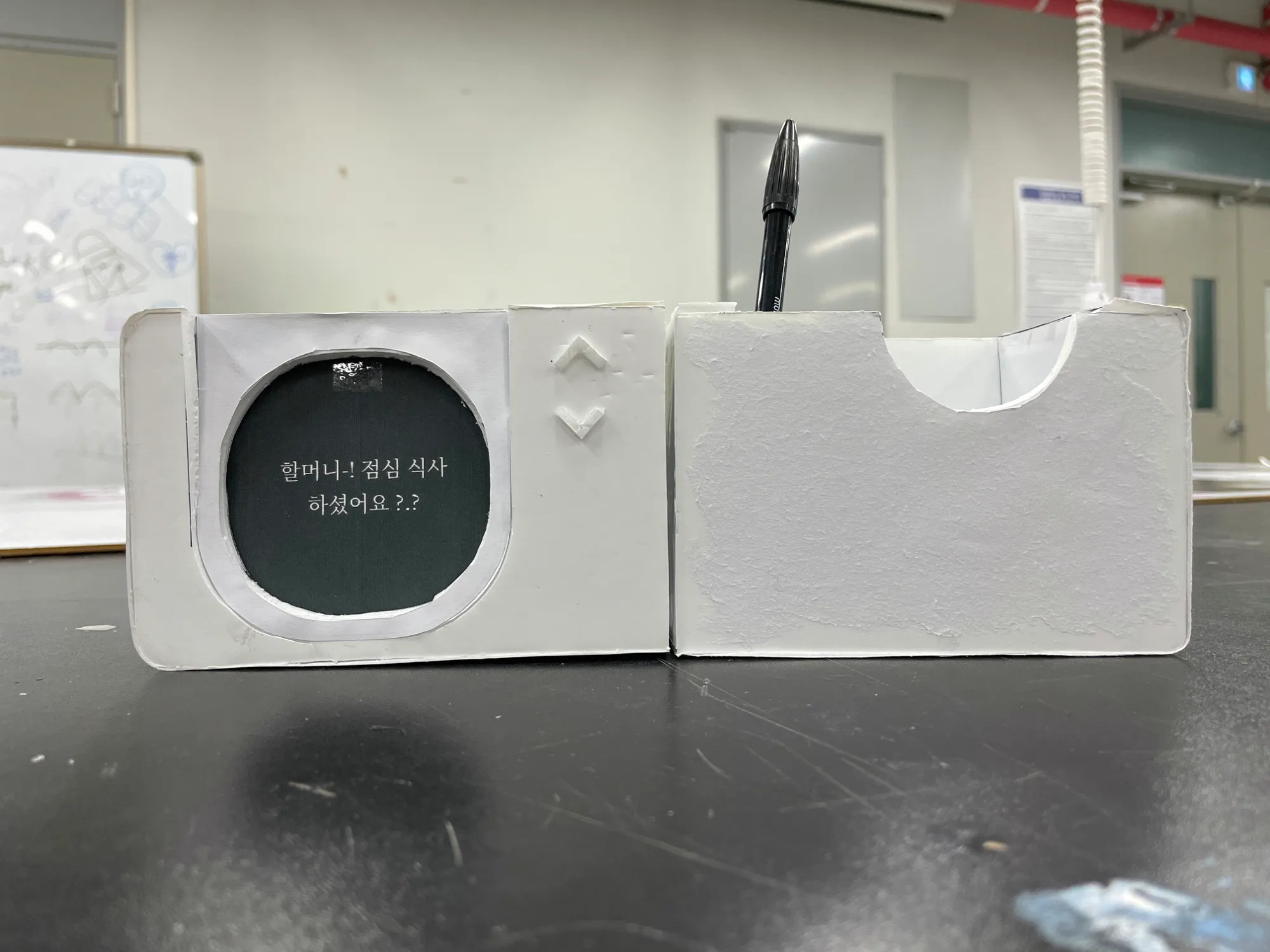
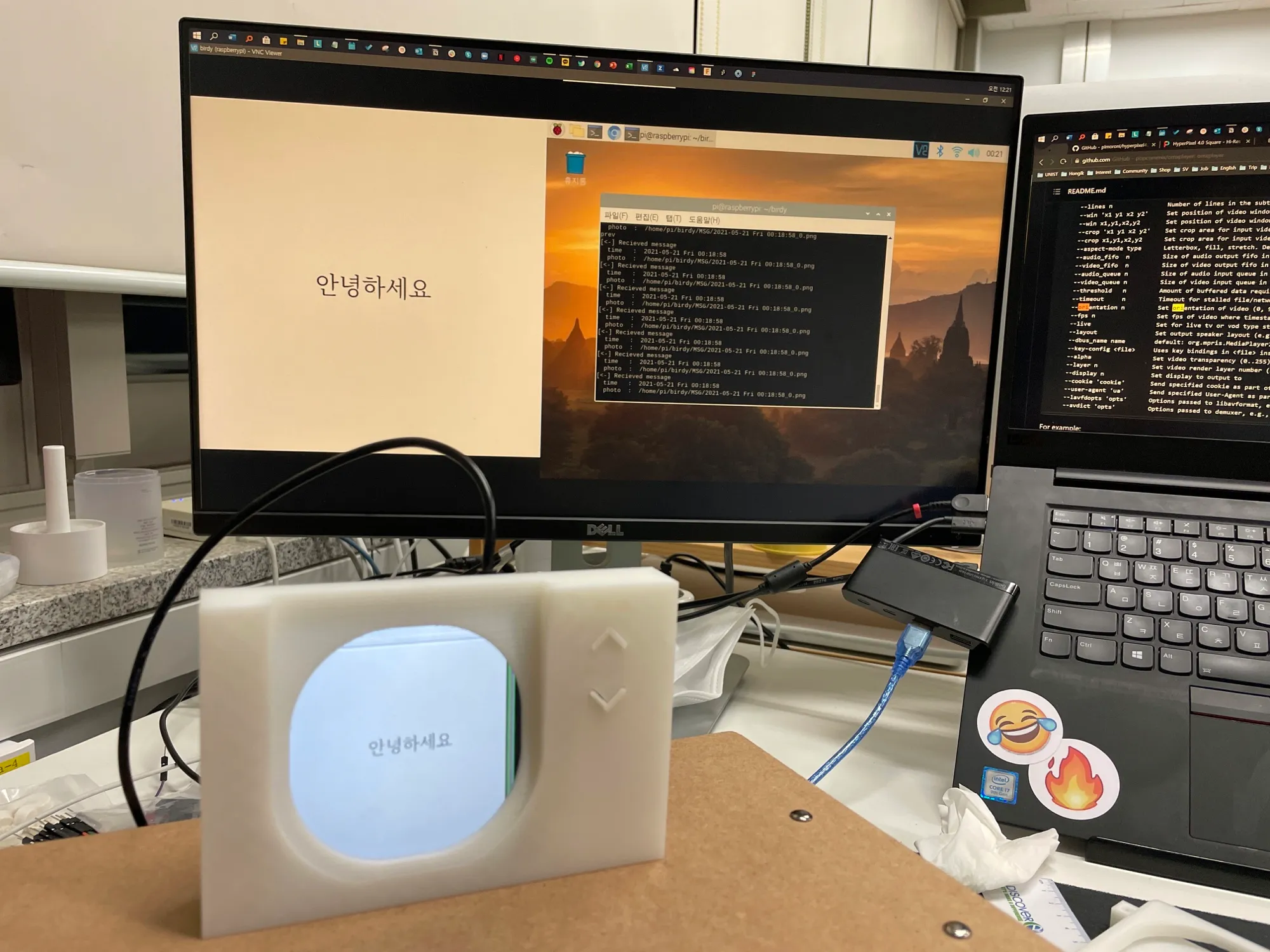
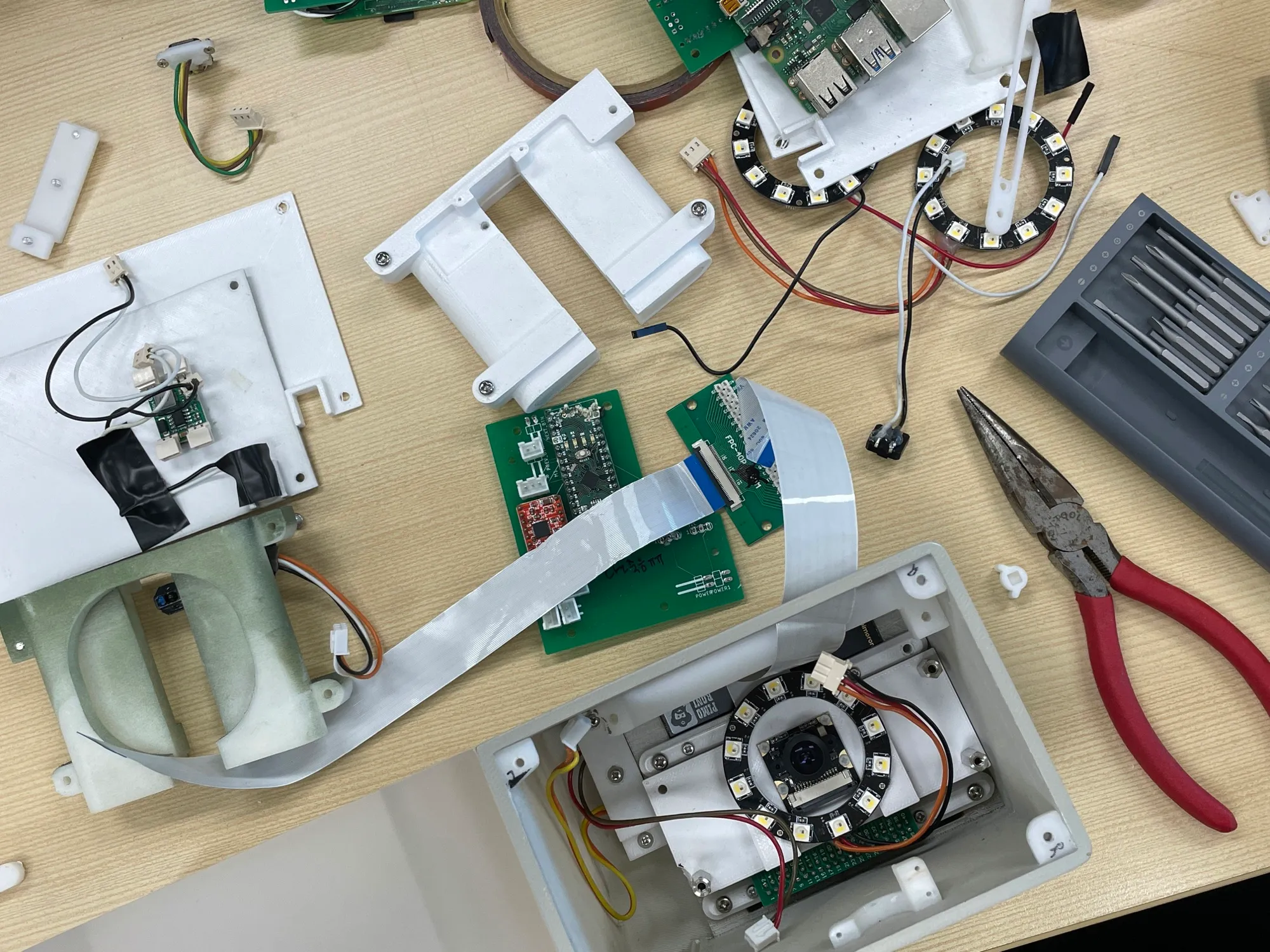
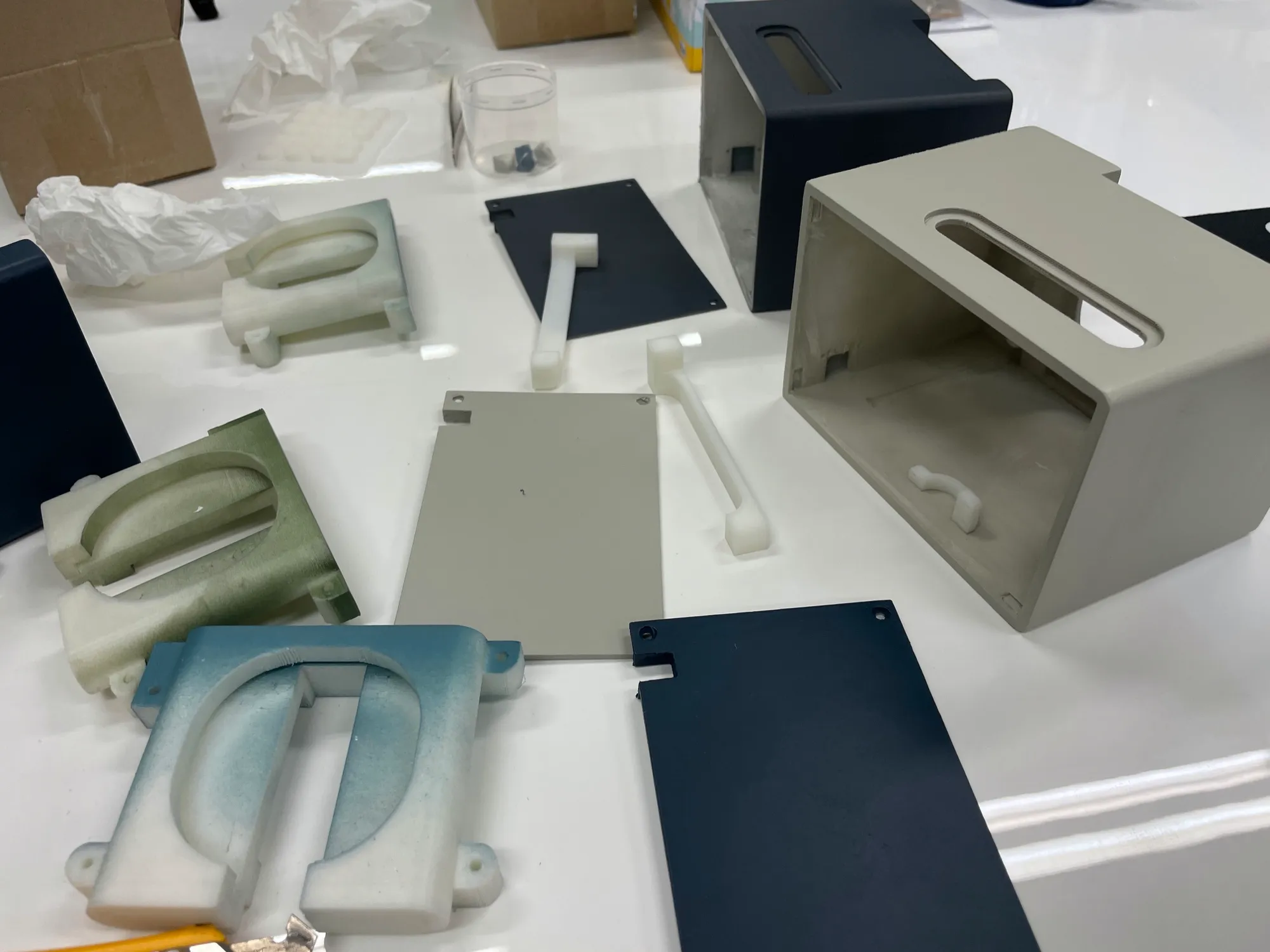
The early mockup was foam board. After that I modeled the parts in Fusion 360, 3D-printed them, and CNC-machined the exterior. The field test used three working mockups that differ only in color.
The center of the camera’s view had to line up exactly with the center of the card, so every part was assembled with bolts and nuts. The cards are thick, weighty paper, and the slot is angled and colored so it is obvious where a card goes. The body is split in half: one side holds the electronics, the other the paper, pen, and emoji book. That ratio was chosen with older users’ wariness of new devices in mind.
The code started in the Meemo repository. Between February and July 2021, 37 dated versions were saved.
IMPACT
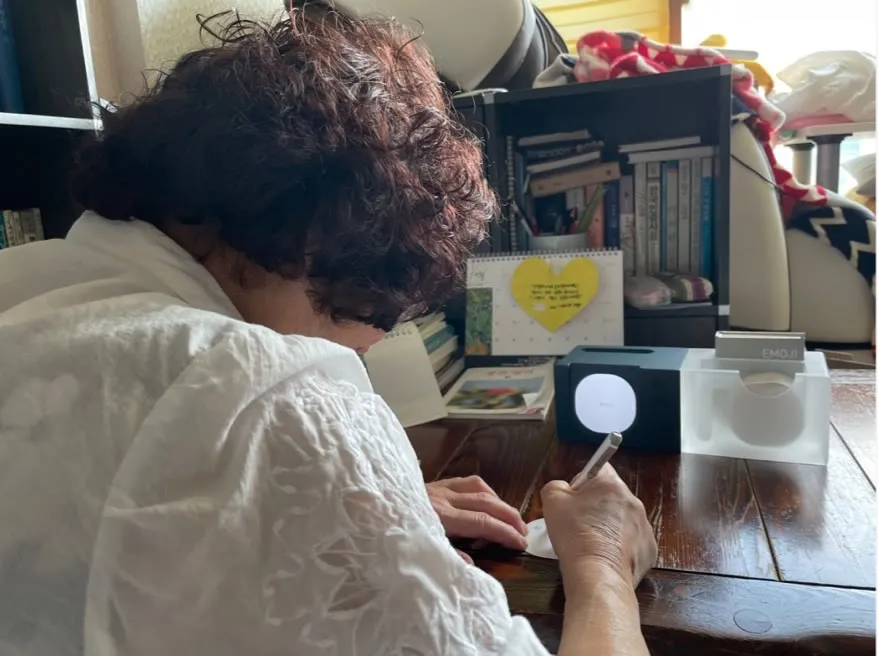
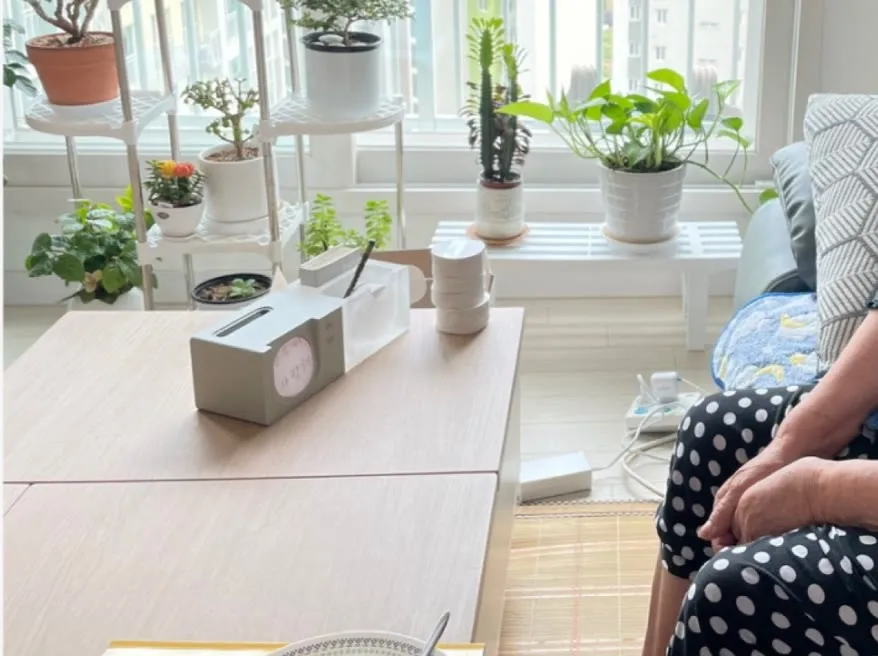
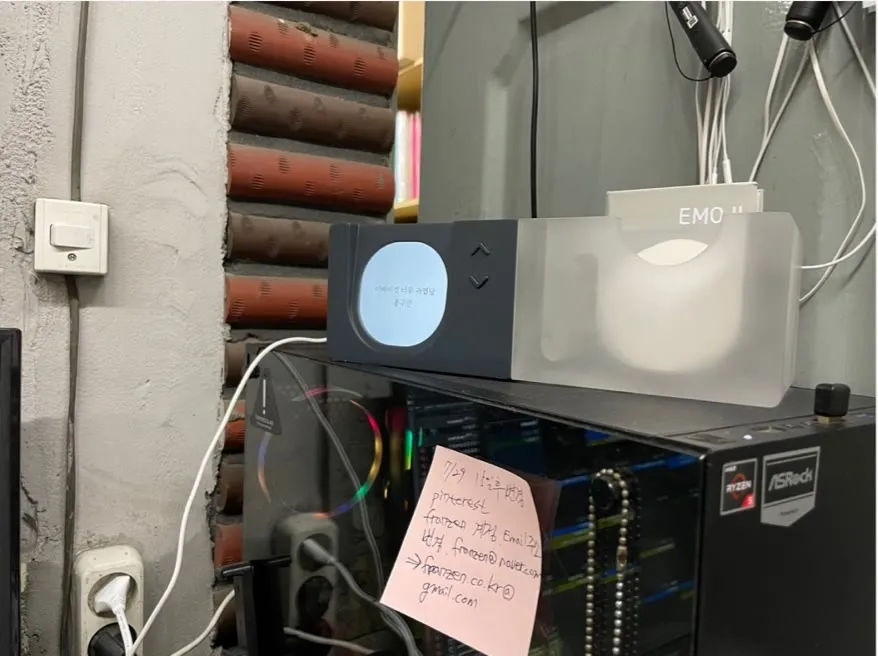
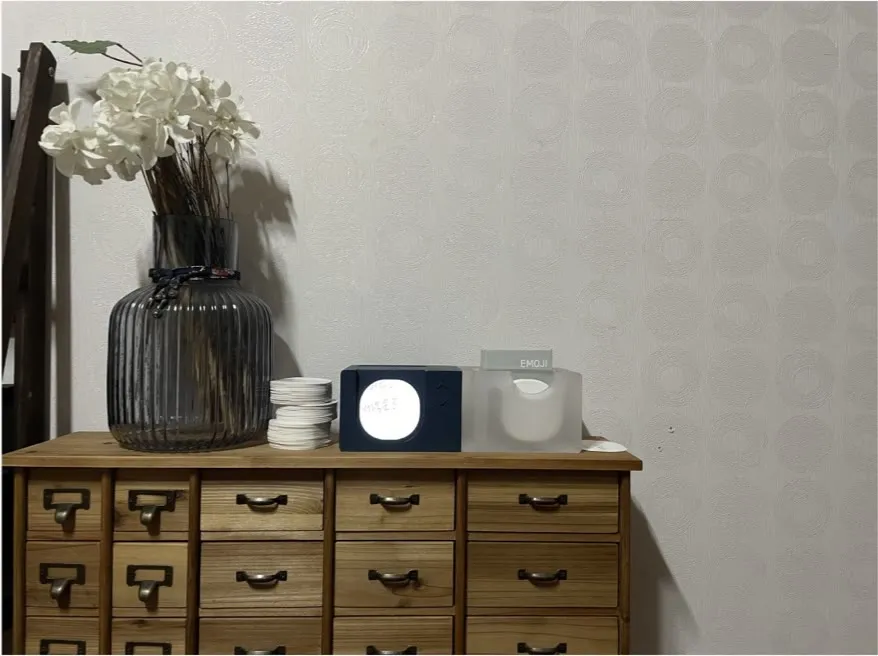
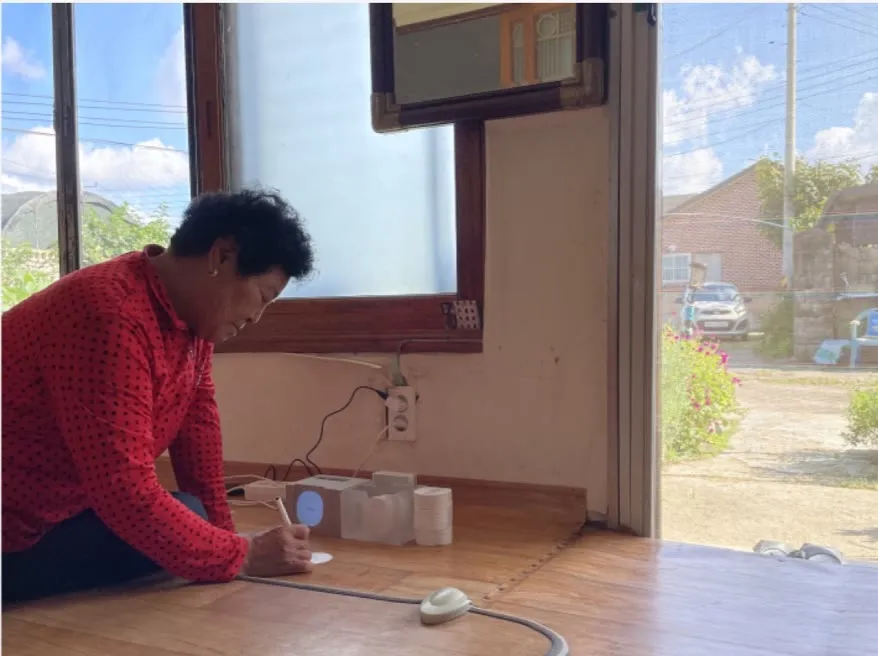
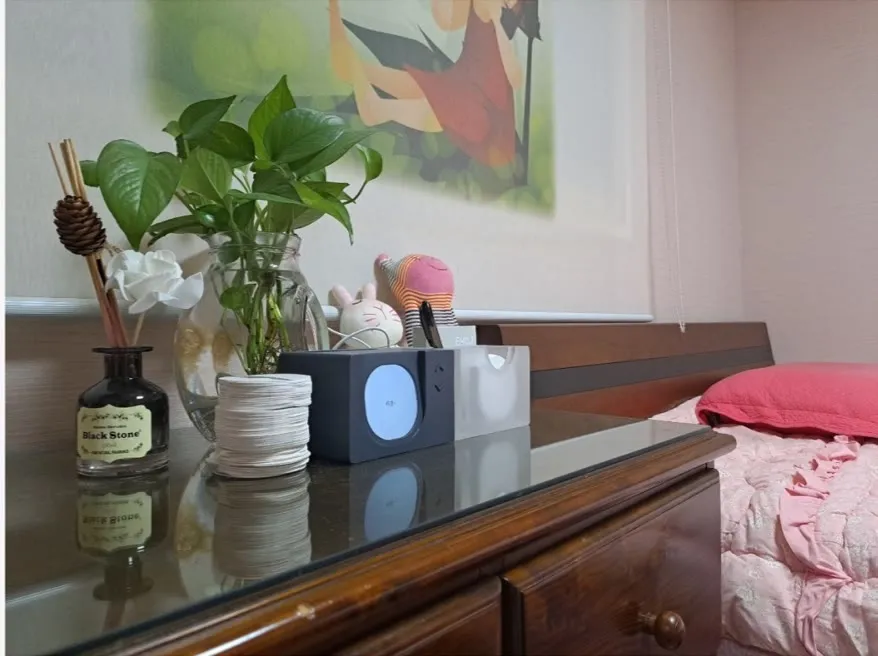
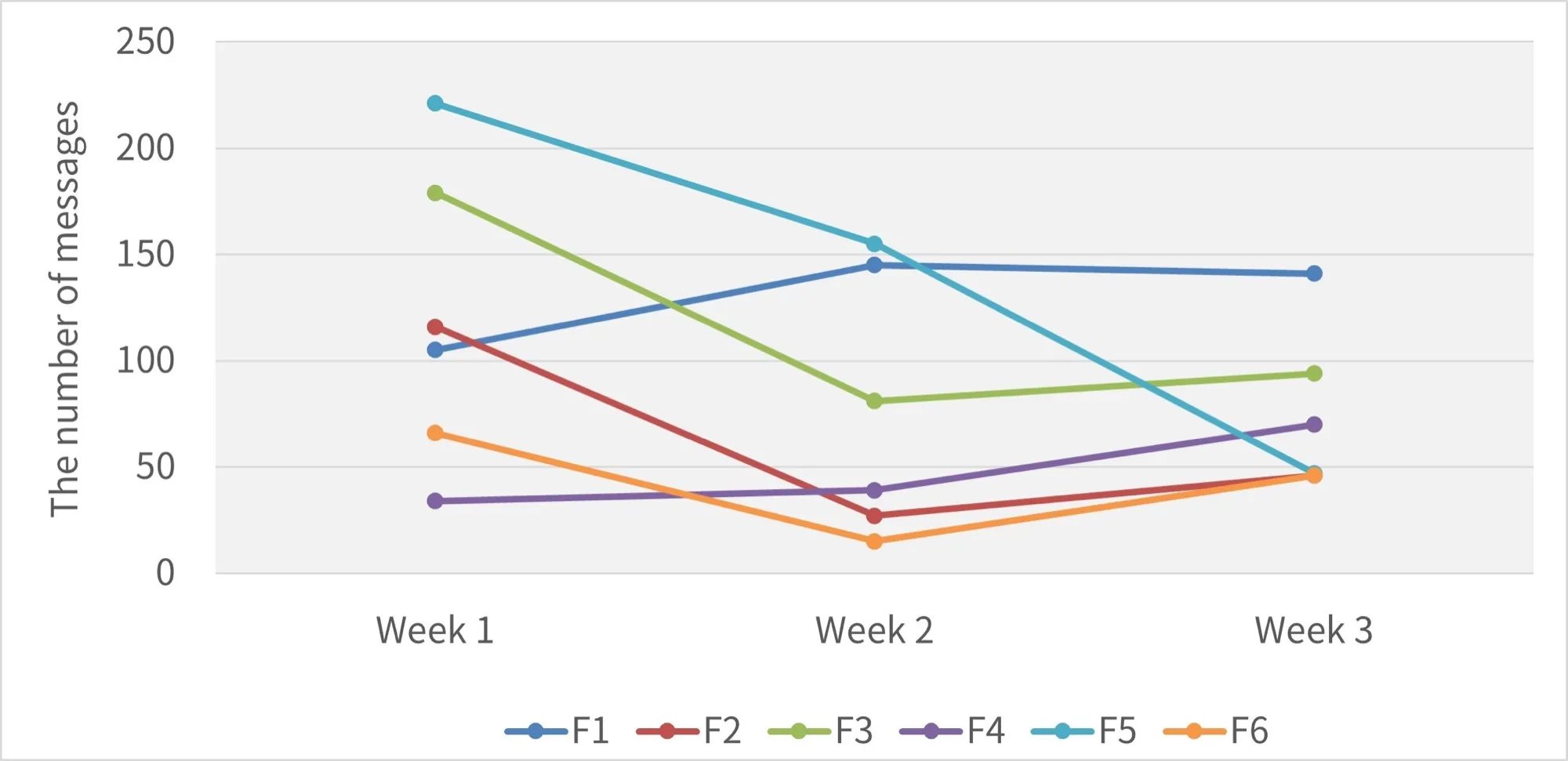
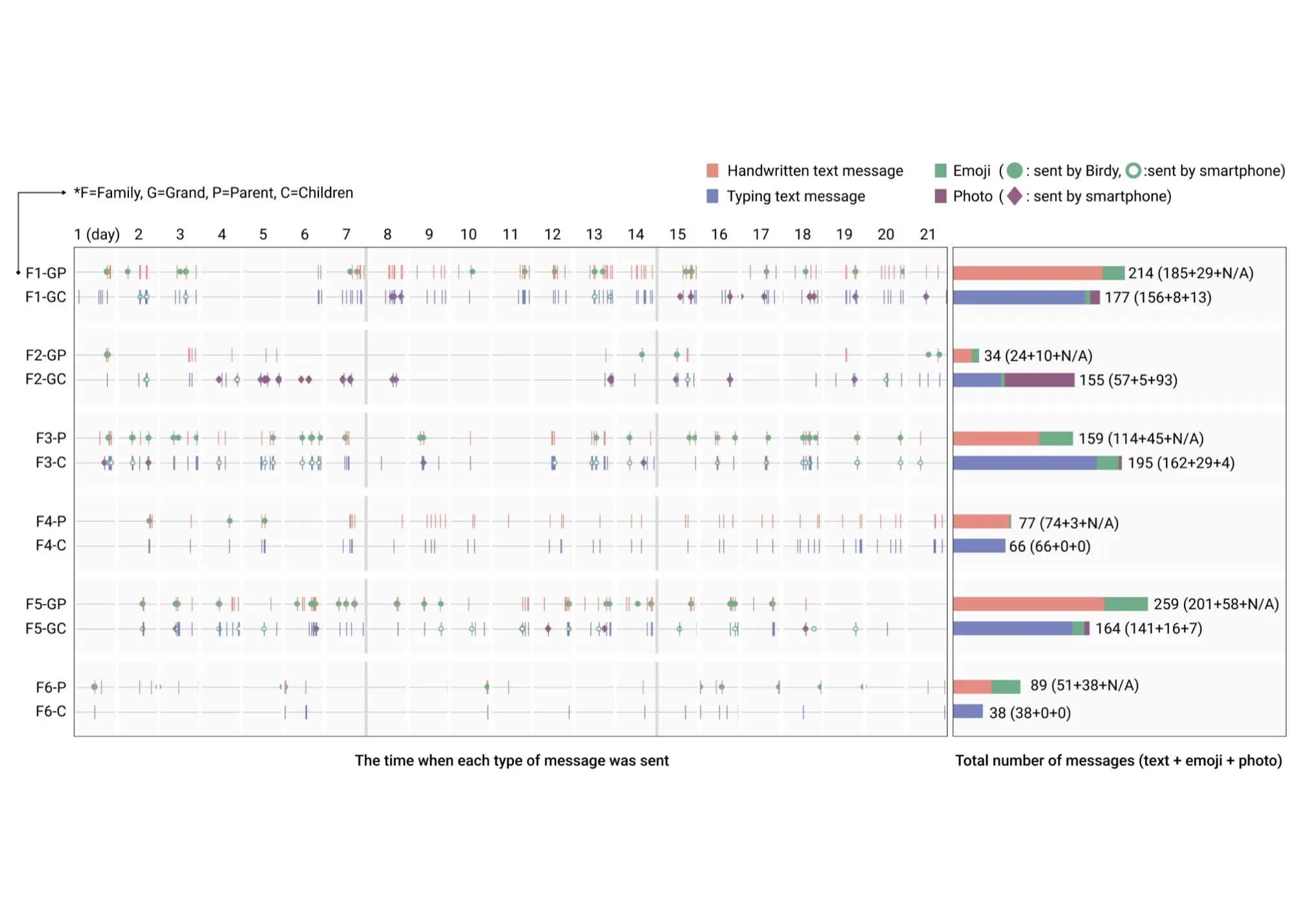
Over the three-week field test, how much the older participants messaged and what they talked about both changed.
The older adults in the six family pairs exchanged an average of 21.5 messages a week. That is about three times as many as before Birdy. One grandparent went from one or two phone calls a week to 35 messages.
Once they could send at any time, from anywhere, the conversations widened too. Talk that had stopped at greetings moved to everyday life, health, and family news. “Have you eaten?” made room for a grandchild’s exam results and hobbies.
70% of participants said handwriting helped them express feeling. Some drew flowers or changed the size of their letters to do it. 83% kept the paper messages they received, and one grandparent kept a grandchild’s notes in a drawer.
REFLECTION
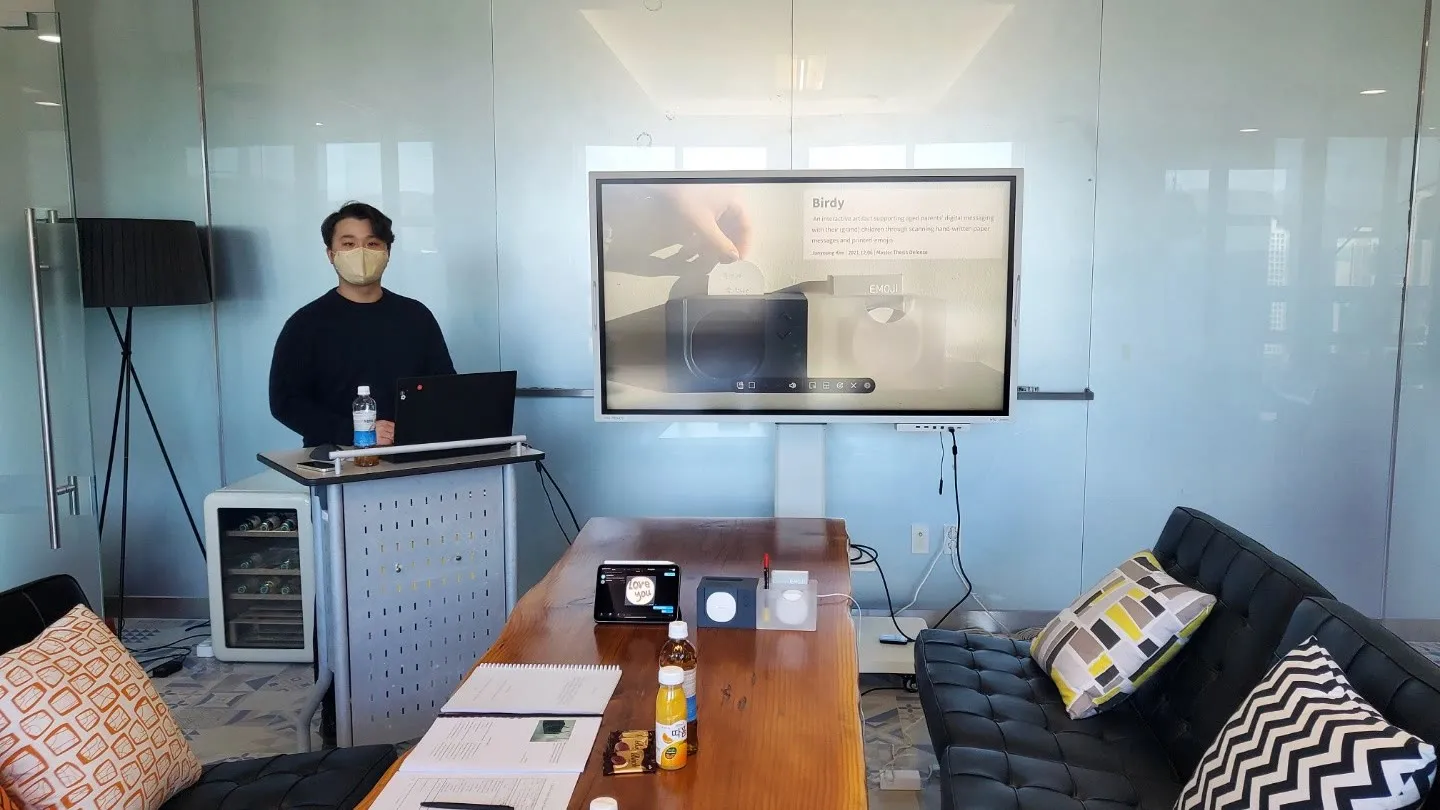
With Birdy I went through every stage of getting a hardware product into a user’s hands for the first time. I designed it, built prototypes, showed people how to use it, and collected feedback. Through all of it the device had to keep working and stay easy to use. Testing prototypes and fixing firmware over and over taught me that hardware and software have to be designed together. It was also the first project that made me think about designing with technology for a social problem.